Revolutionize Your Productivity: Connect Your Pro MP161 Portable Monitor to Your Laptop via three Type-C modes
Monitors
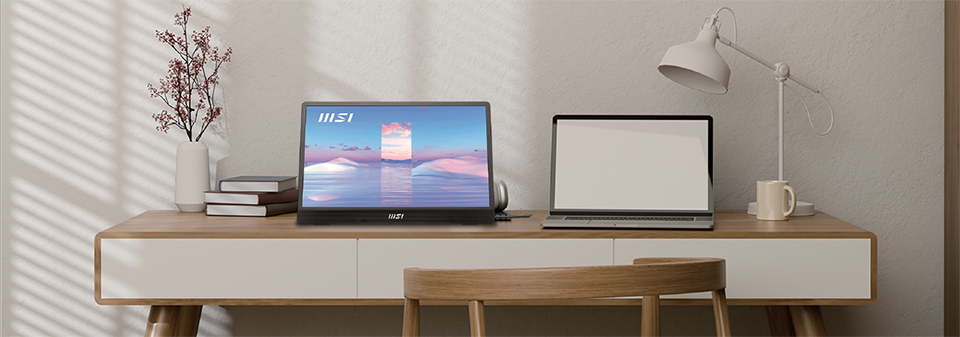
In today's fast-paced world, portable monitors have gained tremendous popularity over traditional monitors due to their unparalleled convenience, impressive flexibility, and superior ergonomics. The Pro MP161 is the ultimate portable monitor, allowing you to set up your workspace anywhere, anytime. Whether you're on a business trip, attending a meeting, or presenting to clients, the Pro MP161 has got you covered. Plus, its built-in speaker and display kit make it even more convenient for on-the-go productivity. And with MSI EyesErgo technology, you can protect your eyes from harmful blue light and glare, so you can work comfortably and safely. There's no denying that the Pro MP161 is the go-to tool for professionals and creatives who need to stay productive while on-the-move.
However, not many users are aware that their laptop's Type-C modes can have a significant impact on how they connect to the Pro MP161 portable monitor. While many users are unaware of this important feature, understanding the three distinct Type-C modes can unlock the full potential of your Pro MP161 and elevate your productivity.
3 Type- c distinct modes
- Data transfer only Mode -
In Data transfer only Mode, you will need to utilize two cables to fully utilize the versatility of the Pro MP161: a Type-C cable for charging and an HDMI cable for display. - Alternate modes & Thunderbolt -
If your laptop supports the latest Alternate modes or Thunderbolt mode, you can connect it to the Pro MP161 portable monitor directly with just one Type-C cable. This eliminates the need for multiple cables and simplifies the setup process, making it more convenient for on-the-go use.
Model
Data Transfer Only
Data Transfer Only
Data Transfer Only
Alternate mode
(Data transfer + Display)
(Data transfer + Display)
Thunderbolt
Thunderbolt
(PD charging)
(PD charging)
ICON


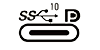


TYPE
USB3.2
Gen 1
Gen 1
USB3.2
Gen 2
Gen 2
USB3.2
Gen 2x2
Gen 2x2
USB3.2
Gen 2/DP
Gen 2/DP
Thunderbolt 3
Thunderbolt 4
(USB 4.0)
Thunderbolt 4
(USB 4.0)
Thunderbolt 3/4
with DP charging
with DP charging
Data Transfer
5Gbps
10Gbps
20Gbps
10Gbps
40Gbps
40Gbps+charging
EXTRA
x
x
x
v
v
v
CONNECTIVITY
HDMI to Mini HDMI Cable
(Display)& Type C(Power Delivery)
(Display)& Type C(Power Delivery)
HDMI to Mini HDMI Cable
(Display)& Type C(Power Delivery)
(Display)& Type C(Power Delivery)
HDMI to Mini HDMI Cable
(Display)& Type C(Power Delivery)
(Display)& Type C(Power Delivery)
Type C Cable
(with Display Function)
(with Display Function)
Type C Cable
(with Display Function)
(with Display Function)
Type C Cable
(with Display Function)
(with Display Function)
If you're looking to revolutionize your productivity and elevate your workflow, the Pro MP161 portable monitor is an essential tool to have. With its impressive features and capabilities, it allows you to work comfortably and efficiently wherever you go. And by understanding the different Type-C modes, you can fully unlock its potential and take your productivity to the next level. So don't let yourself be limited by a traditional monitor - invest in the Pro MP161 and experience the power of on-the-go productivity.