How to Choose a Motherboard
Motherboards
This article is intended to guide PC DIYers and enthusiasts who already have a good understanding of the foundational functionality a motherboard delivers. ICYMI, we have a beginner guide to What Is a Motherboard? for introductory purposes. Moving beyond that, here we provide five key tips to choose the best motherboard, guide you through some of the best choices from MSI’s pedigree product lines, and conclude with some recommendations for entry-, mid-, and high-end system builders.
Five Key Tips for Choosing the Best Motherboard
During the following five steps we will be making sure you get the basics right, so you don’t have to return items to the PC store, before moving onto more complicated decisions regarding expandability, connectivity, and the current hot topic of RAM support. OK, let’s get started, and methodically and systematically choose the best motherboard for gaming and / or content creation.
Step 1: Choose the Right Socket and Chipset First
You’ve already chosen your CPU platform, right? AMD CPU users will have to narrow down their motherboard choice to products featuring the AM4 (older) or AM5 (current gen) sockets. Intel users will have a similar choice between LGA 1700 (older) and 1851 (newer) sockets.
AMD sockets and chipsets
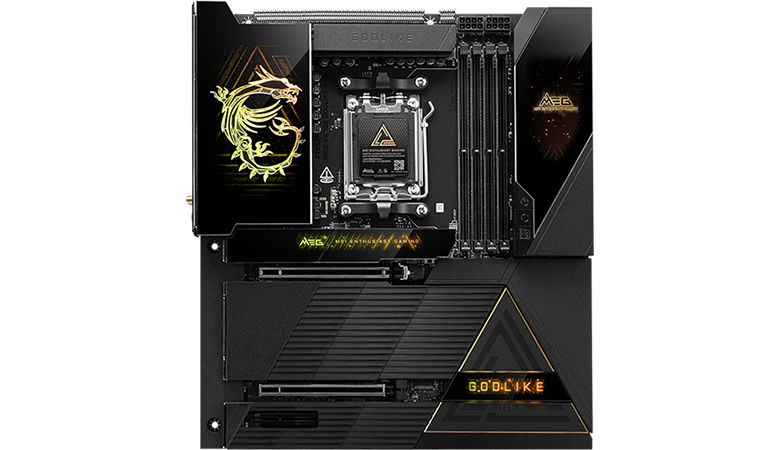
What this means to AMD users is that if you have a Ryzen CPU from the 5000 series or older, you’ll be looking for an AM4 socket motherboard, which uses DDR4 memory DIMMs. If you have purchased, or intend to purchase a Ryzen 7000 or newer CPU then you’ll need an AM5 motherboard and need to acquire DDR5 DIMMs to configure your memory.
AM4 socket motherboards feature chipsets such as A320, B350, B450, X370, X470, A520, B550, and X570. When purchasing, in general, the bigger numbers are better, delivering more modern, more advanced, more features.
Currently marketed AM5 motherboards come with the X870E, X870, X670, B650, and B850 chipsets. Again, bigger numbers denote higher-end, more advanced chipsets, but of course, you have to pay extra.
When pondering over the entry-, mid-, and high-end chipsets, users will typically choose something on the same tier as their processor (i.e. top-end CPU paired with top-end chipset, etc). What they get is more PCIe lanes, better power delivery, enhanced connectivity options, and more frills. Mid-range chipsets will often represent the sweet spot in performance and value. This rule also applies to Intel chipsets…
Intel sockets and chipsets
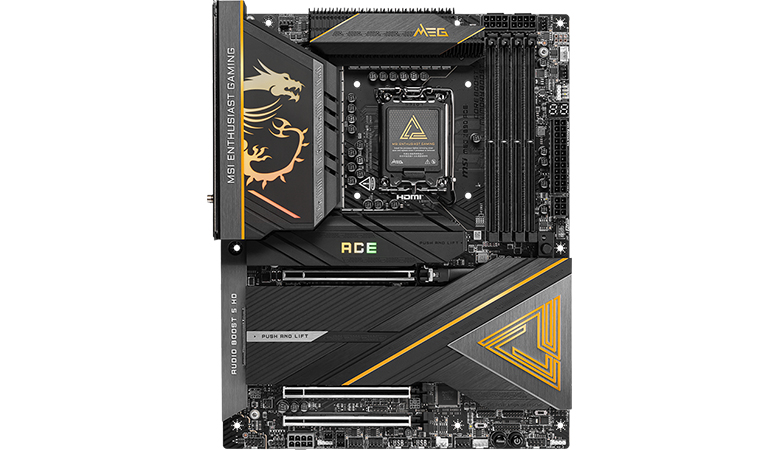
If you’ve acquired an Intel processor from the 12th, 13th, or 14th Core generations, then you will need a matching LGA 1700 motherboard. The newest Intel chipsets supporting these processors are B760 (mainstream) and Z790 (high-end). Some LGA 1700 motherboards offer DDR5 support, so look at the specs carefully if you want/need to use DDR4 DIMMs.
Intel’s latest generation CPUs require an LGA 1851 socket motherboard with an 800-series chipset. Thus, you will pair your shiny new Intel Core Ultra 200 chip (like the Intel Core Ultra 5 225 or Core Ultra 9 285K, for example) with a motherboard pacing a B860 (mainstream) or Z890 chipset (high-end).
Step2:Pick the Right Form Factor for Your Build
ATX
EATX
Micro-ATX
Mini-ITX
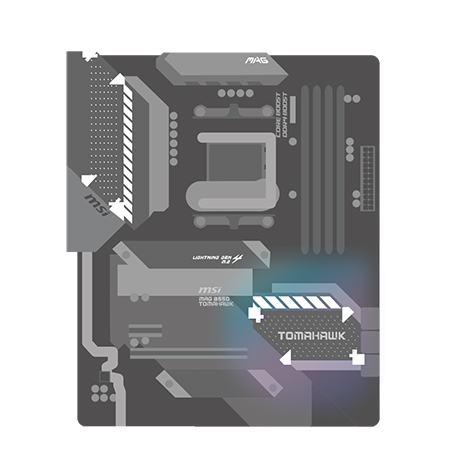
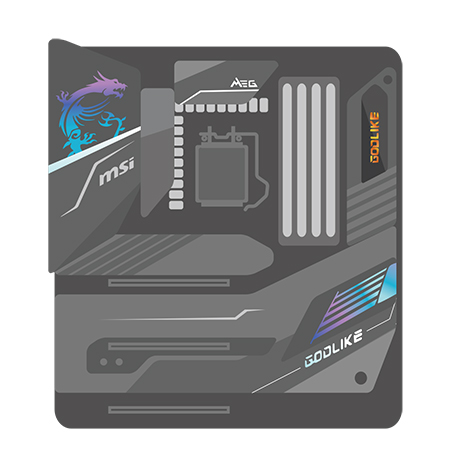
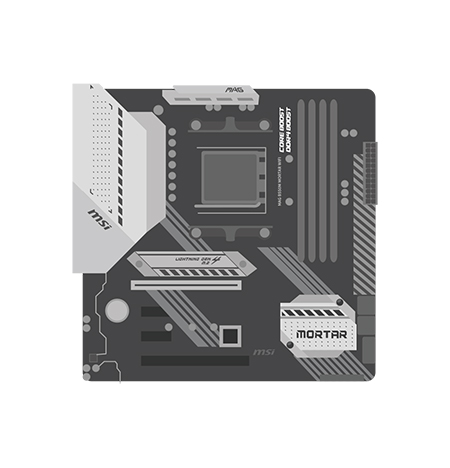
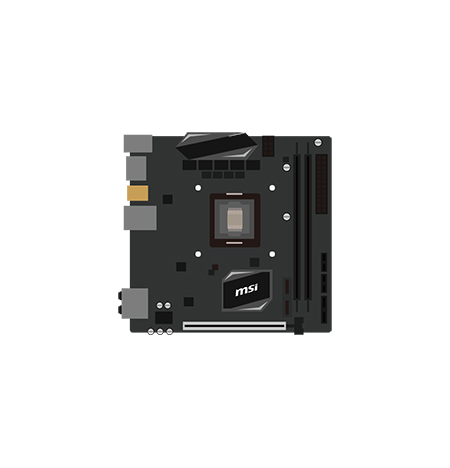
Next up we have a more straightforward choice, which will largely be driven by your PC build’s physical dimensions. Commonly, you will see motherboards and PC cases (and sometimes other components) with one of the following acronyms tacked to the name: E-ATX /ATX /Micro-ATX /Mini-ITX. We’ve listed them in motherboard size order, largest to smallest.
Those opting for larger PC cases will have done so to ensure they can fit larger motherboards with greater expansion options, so they can handle more powerful components and the bulkier cooling apparatus they require, as well as for more PCIe expansion slots, drive bays, and storage bays.
Naturally, the largest mainstream motherboard standard, ATX, will very usually provide the more PCIe slots, DIMM sockets, SATA ports, and M.2 slots than the smaller Micro-ATX and Mini-ITX boards. Using the physically most sizeable motherboard form factor will mean using one of the larger PC cases sold on the market.
Nowadays, there are quite a few Mini-ITX cases around (for example) with capacity for large triple-fan graphics cards like the GeForce RTX 5090 or 5080. Thus, you can build a top-end gaming rig in a Mini-ITX case. However, please keep an eye on the physical constraints that remain, with reduced availability of PCIe slots, M.2 slots, and more, typical among Mini-ITX compromises.
Pro tip: Be especially wary if you are shopping for a motherboard that you don’t end up adding the wrong-sized model to your basket. Several vendors make the ‘same’ motherboard in different sizes.
Finally, make sure your motherboard supports all the devices and accessories you plan to use now, and in the foreseeable future.
Step3:Evaluate Expansion and Storage Options
When looking at motherboards, you will notice they come with different types and quantities of expansion ports. Basically, you have to weigh the number and type of PCIe slots for add-in cards like GPUs, sound cards, and additional I/O. Then there is a mix of M.2 slots (NVMe SSD expansion) and SATA ports (HDD / SATA SSD) to which you will attach storage devices. Typically, larger form factor boards and more premium designs will offer you more of both these expansion options - no surprise.
What do you need in terms of expansion and storage? Gamers, for example, will typically need at least one full-sized PCIe slot for a graphics card. That may suffice.
Content creators, particularly those who dabble in video, will usually be interested in motherboards that feature more M.2 and SATA storage connectors. They may also need several PCIe slots for things like video cards, capture cards, and cards supporting the fastest peripheral I/O standards like Thunderbolt 5.
Whichever kind of user you are, it isn’t great to build or create the PC of your dreams only to later discover you need another PCIe slot or more storage slots. So please over-spec rather than under-spec your motherboard choice.
Step4:Choose the Right Memory
Choosing the right system memory is crucial for good PC performance. In 2026, we’d consider 16GB to be the minimum, with 32GB as the new mainstream total capacity choice for most people. Larger memory capacities are desirable to folks who will be working on several memory-intensive and/or heavy-duty tasks at once. There are edge cases where PC buyers will want even more memory, like for an AI home lab, but you will know if you are one of those people and buy accordingly.
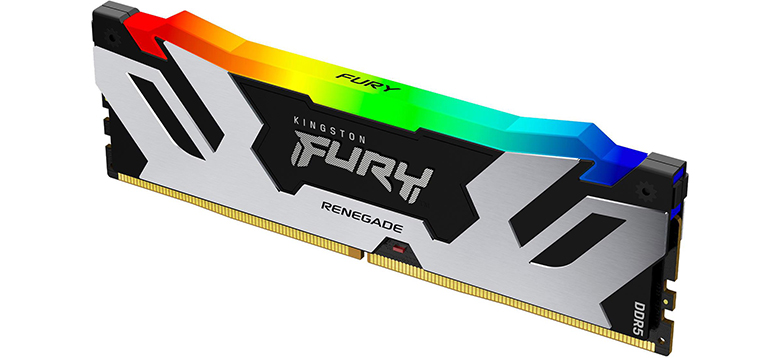
Contemporary motherboard product ranges also present buyers with the choice of DDR4 or DDR5 memory, and you will also find boards have either two or four memory slots (DIMM slots). All DDR4 and DDR5 mainstream chipsets from Intel and AMD use a dual channel memory architecture, where the bandwidth of two identical DIMMs are combined to deliver more performance. It’s recommended to install two identical DIMMs for the best performance, but if more capacity is needed then you can consider adding a second identical pair on motherboards that have four sockets. Note that installing a second pair of DIMMs may slow down the overall performance of the memory, based on Intel and AMD memory rules. DDR5 is faster, has broader support on the latest cutting-edge motherboard designs, and raises the total supported RAM amount from ~64GB to 128GB or even 256GB, depending on what you need. DDR4 is also still very popular and available, and may be a better budget choice for some builds.
Intel and AMD processors and chipsets are designed to operate memory at industry standard (aka JEDEC) speeds, timings, and voltages. If you want more performance, you can choose overclockable memory with factory-programmed profiles that raise the speed, lower the timings, and increase the voltages over industry standards. These can be activated in the BIOS and are labeled Intel XMP or AMD EXPO. We recommend checking the QVL list for your motherboard to see which speeds, capacities, and DIMM configurations are supported with your processor.
Don’t worry if you are still confused about RAM after our brief discussion. Instead, please check out our extensive guide to choosing, installing, and validating RAM for your motherboard and you can also learn more about memory from our supported partner "Kingston Technology".
Step5:Motherboard connections to know
Ensure your motherboard pick can support all the devices and accessories you plan to use. We’ve already introduced the internal PCIe slots, M.2 slots, and SATA headers above. There are other important connectors found on the motherboard PCB - notably fan headers and RGB headers for cooling and lighting. Front panel connectors, which provide easy-access ports for when you are using your PC, are also a standard feature of any motherboard. Some premium designs will also include Thunderbolt ports on the motherboard for use with a suitable PCIe card - these can deliver superfast USB Type-C connectivity to your desktop PC.
Around the back of your fully built computer, you will plug in all the typically permanent peripherals like mouse and keyboard, monitor(s), printers, and more. Make sure you have enough ports, offering the desired levels of performance, with some to spare.
Special mention must also be given to networking; it is convenient to have a motherboard that supports both wired and wireless networking. If you are lucky enough to have Ethernet in your home office, then using the wired option is the best for network speed and latency. Look for 5G or 10G Ethernet LAN on modern motherboards.
Wireless capability is a great fallback or good enough for many users. The newest standard is Wi-Fi 7, and this latest wireless tech has gone a long way to improve latency as well as multi-gigabit transfers. Another benefit of getting a motherboard with Wi-Fi built-in is that it will also support Bluetooth connections and peripherals.
MSI New-Generation Motherboards Deliver Extreme Performance
The table below outlines our premium motherboards, designed for professionals, enthusiasts, overclockers, high-performance gaming builds, and content creators.
Model
Socket, chipset
Form factor
Expansion options
Key features
AM5, AMD X870E chipset, supporting AMD Ryzen 9000 / 8000 / 7000 desktop chips
Expansive E-ATX
2x PCIe 5.0 slots, 4x DDR5 DIMMs for up to 256GB RAM, 5x M.2 storage slots (inc 2x Gen 5), 10G Super LAN and Wi-Fi 7
Turns everything up to MAX, Dynamic Dashboard LCD, Magnetic design
AM5, AMD X870 , supporting AMD Ryzen 9000 / 8000 / 7000 desktop chips
Compact Mini-ITX
PCIe 5.0 slot, 2x DDR5 DIMMs for up to 128GB RAM, 1x PCIe Gen5 M.2 slot, 2x PCIe Gen4 M.2 slots, 10G Super LAN and WiFi 7
Highly compact, minimal compromises, EZ DIY friendly, FROZR design
LGA 1851, Intel Z890 chipset, supporting Intel Core Ultra Processors (Series 2)
Full ATX
2x PCIe 5.0 slots, 1x PCIe 4.0 slot, 4x DDR5 DIMMs, 5x M.2 storage slots, dual Thunderbolt 4 ports, 10G Super LAN and WiFi 7
Ultra Power + OC Engine, Wavy Fin cooling design, Steel Armor II
LGA 1851, Intel Z890 chipset, supporting Intel Core Ultra Processors (Series 2)
Full ATX
2x PCIe 5.0 slots, 1x PCIe 4.0 slot, 4x DDR5 DIMMs, 5x M.2 storage slots, dual Thunderbolt 4 ports, 10G Super LAN and WiFi 7
Heat pipe cooling, and premium power for gamers, EZ DIY friendly, flexible networking
If you have a lower budget or don’t need to live on the absolute cutting edge of PC performance, MSI’s EDGE and TOMAHAWK motherboard lines provide all the essentials, and more, as you can see in the suggested models, below.
Model
Socket, chipset
Form factor
Expansion options
Key features
AM5, AMD B850 chipset, supporting AMD Ryzen 9000 / 8000 / 7000 desktop chips
Mini ATX
1x PCIe x16 5.0 slot, 4x DDR5 DIMMs, 4x M.2 storage slots, 19x USB ports, 5G LAN, Wi-Fi 7
Silver White, Ultra Power, EZ DIY. EZ OC, FROZR design. Extended heatsinks
AM5, AMD B850 chipset, supporting AMD Ryzen 9000 / 8000 / 7000 desktop chips
Full ATX
1x PCIe 5.0 slot, 1x PCIe 4.0 slot, 1x PCIe 3.0 slot,
4x DDR5 DIMMs, 4x M.2 storage slots, 19x USB ports, 5G LAN, Wi-Fi 7
Ultra Power, EZ DIY. OC Engine, FROZR design. Extended heatsinks
LGA 1851, Intel B860 chipset, supporting Intel Core Ultra Processors (Series 2)
Full ATX
1x PCIe 5.0 slot, 2x PCIe 4.0 slots, 4x DDR5 DIMMs, 3x M.2 storage slots, 17x USB ports with 1x Thunderbolt 4, 5G LAN, Wi-Fi 7
Ultra Power, DIY. EZ OC, FROZR design. Extended heatsinks
These motherboards give you balanced performance and affordability, with plenty of features to enhance mainstream gaming and daily workhorse PC tasks.
Now that you understand how to choose a motherboard, you can begin exploring your options. Another useful resource is the Best Motherboard page on MSI’s website which you can use to narrow down the ideal solution from our full motherboard lineup, using a quick check-list style interface.
Broadly, those of you who have already decided to build a PC based on an AMD processor should consider the latest X870E/X870 series motherboards. Or, if you prefer Intel processors, your pick should be between the overclocking-ready Z890 motherboards, or the more value-oriented B860 motherboards.